hey, this doesn’t seem relevant. are you using a bot?
Im using Termux, selecting compatible components for my hardware (RAM, CPU). If necessary, I update or roll back to previous versions to get it running.
Problem: Namada fails to build on Android (ARM64) due to RocksDB type mismatch - impossible to run Borderless Private USDC without CLI.
I’m trying to build Namada (v0.251.0 / v201.0.0) directly on Android using Termux + proot-distro Ubuntu on an ARM64 device (Samsung A72, Android 14). I need a working CLI because currently there is no full-featured GUI or web version of Namada available for Android, and I want to participate in the Borderless Private USDC test.
However, the build consistently fails in the librocksdb-sys / RocksDB C++ layer with the following error:
rocksdb::TraceRecord::getColumnFamilyIds() defined here
error: return type ‘std::vector<uint32_t>’ must match previous return type ‘int’ when followed by ‘::’
Even after adding missing includes such as:
sed -i ‘1i#include ’ /usr/include/rocksdb/trace_record.h
the error still persists. It appears to be a struct layout/type mismatch between the RocksDB headers shipped for ARM and the RocksDB version that librocksdb-sys expects. Because of that, the build never completes, even with --jobs 2 and 1.
This seems to indicate that Namada cannot currently be built on ARM64 at all, which effectively blocks Android users from participating in Namada testing unless they have access to an x86 machine or a remote server.
Is there any known workaround, or is ARM64 support planned?
Right now, compiling Namada CLI on Android is the only possible path for many users, but RocksDB issues make it impossible.
Screenshots!
Break at the place of compilation of namada_light_SDK:

Cause:

1 Like
testnet NAM : here
testnet USDC: here
testnet ETH: here
What’s up with all this friction !? Thank you for the option 
Step 1

Step 2

Step 3
Step 4

First error:

Second Attempt
1

2

3

4


5

Thoughts
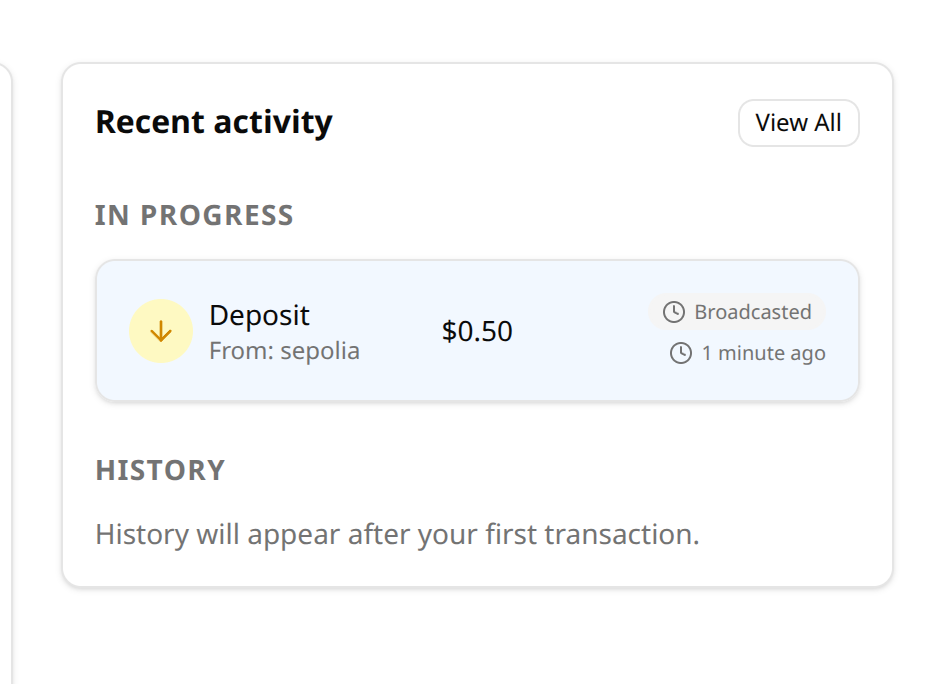
New user will need to connect metamask AND namadillo correctly. Once all fields are input you need to approve two metamask windows for the bridging txid to finish. My first attemp said the broadcast completed but it just hung. Tried again and it worked! I guess both amounts worked however, unclear? The Shielded txid worked as expected, another click to confrim on the namadillo side.
Overall its working which is great 
2 Likes
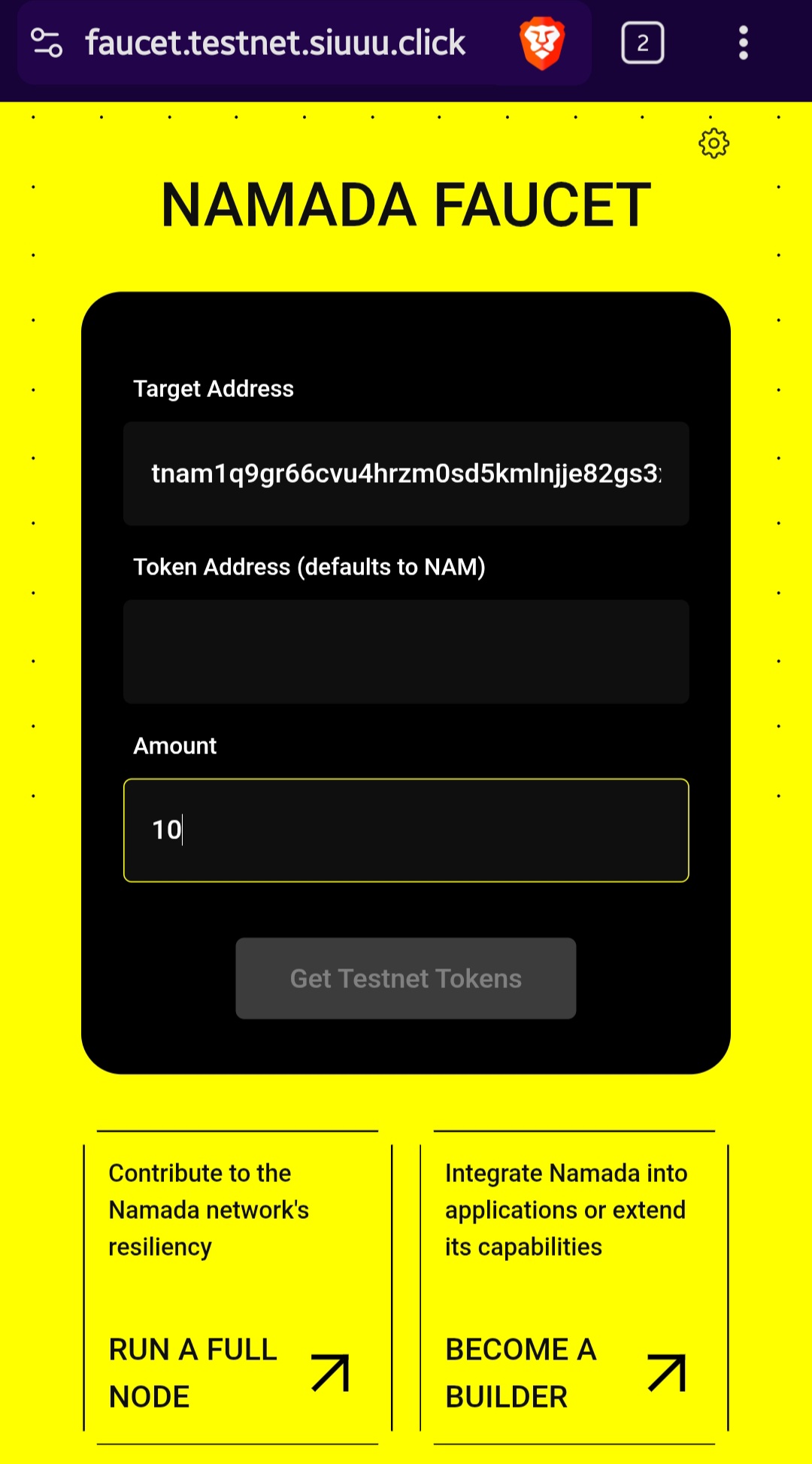
Namada testnet faucet UI requires two addresses and rejects valid Namada address (Invalid Address / Unable to submit transfer) !
I’m testing the Namada testnet together with Sepolia USDC and Sepolia ETH, and I encountered a repeated issue with the Namada testnet faucet:
 https://faucet.testnet.siuuu.click
The faucet UI behaves incorrectly and prevents sending any test NAM to my wallet.
Issue 1 - Faucet requires two addresses to activate the button
The “Get Testnet Tokens” button stays disabled until both fields are filled:
Target Address
Token Address (defaults to NAM)
This is confusing, because the faucet should only require the Target Address.
The button becomes active only when both fields contain an address - even if the second field contains an invalid or unrelated address.
Issue 2 - The faucet rejects a valid Namada testnet address
My generated Namada address is:
tnam1q9gr66cvu4hrzm0sd5kmlnjje82gs3xlfg3v6nu7
This is a full, correct bech32m testnet address (not shortened).
When I paste it into the faucet, I receive errors such as:
Error: Unable to submit transfer: 400
Invalid Address
or:
Error: Unable to submit transfer: 400
unable to build transfer tx: The target address … doesn’t exist on chain.
The faucet UI auto-filled this address when I opened the page, so if it is invalid, something is wrong with the faucet backend or with chain sync.
Issue 3 - Faucet incorrectly reacts to EVM addresses
When I test with Sepolia addresses or Sepolia USDC contract addresses, the faucet also attempts to validate them and throws errors:
Invalid bech32m address for token address!
I understand that the faucet is NOT a bridge and is not meant to work with EVM formats.
But the UI currently allows users to paste EVM addresses into both fields and tries to send the request.
Maybe the faucet needs validation or disabling of the second field entirely.
Additional context
USDC from the Circle testnet faucet was received successfully.
SepoliaETH was received successfully.
MetaMask network is correctly set to Sepolia.
Namadillo/app.namada.net loads, but RPC/Alternate Infra currently fails.
I’m using Brave, MetaMask browser, and Chrome - the same behavior in all browsers.
Summary
There is likely a combination of:
UI bug (button activation logic)
backend validation bug (rejecting valid testnet Namada address)
possibly faucet not synced properly to the current testnet
This prevents any NAM test tokens from being received.
I attach screenshots below:



Next, I synchronized Sepolia with MetaMask. I have 1 USDC in my balance, but usdc-nockup shows 0. And when I click “Connect to Namada,” it says to install Keychain:

1 Like
Hello admins,
I would like to submit a petition because I want to present a proposal that aims to help boost and strengthen the Namada ecosystem.
Unfortunately, I don’t have permission to create a post yet, and I’m not very confident writing in English.
I kindly ask if you could grant me permission to start a post so I can share my project. The project is an educational hub for Namada, called NamWiki (namwiki.xyz), focused on helping users learn and grow within the ecosystem.
Thank you very much for your time and consideration.
1 Like
We have ended our Namada-based Borderless initiative, but will resume efforts at https://armada.wtf
This is karma. This is just the beginning, it will get even worse. Aren’t you ashamed? The Anoma Foundation deceives and scams people out of money. And do you think that Namada will succeed after all this? Of course not! Only a drop in reputation, trust and the destruction of the project.